
Updating the CIPP payroll factapp
08 June 2022
The CIPP payroll factapp provides a convenient way to access the most used tax year facts and figures. For members, the app also provides access to a digital membership card, so you have your details to hand.
When we update the information on the app – such as the advisory fuel rates – this should be updated within your app automatically. However, depending on device and settings, there may be occasions where the app does not pull this latest information as expected.
The CIPP will let you know when information is added, or updated, to the app via News Online and via in-app notifications (if you have these enabled your device). If you find the latest information is not present, it may be necessary to update the content manually.
How to manually update the app
1. Open the CIPP payroll factapp

2. Login if needed
3. Press the ‘hamburger menu’ in the top left of the app

4. Click the settings cog at the bottom of the side navigation
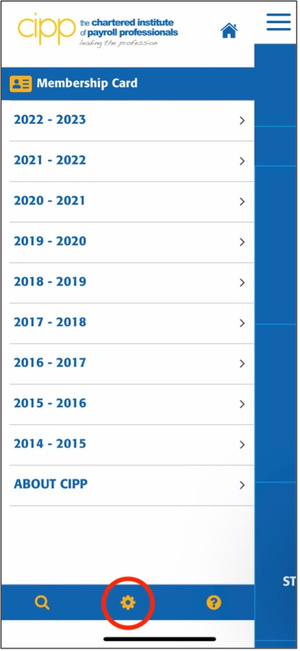
5. Press ‘Check for new content’. The app will indicate that it has updated successfully.
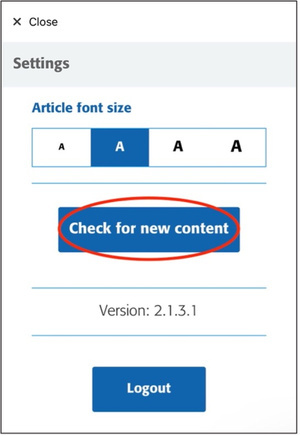
6. Force quit the app and re-open. Your content should now be updated.
If these instructions don’t work and you are still experiencing issues access the up to date information, email [email protected].
If you don’t already have the CIPP payroll factapp, you can download it from your mobile app store. Search ‘CIPP factapp’ or scan the QR code below.